Canadian School Ratings Now in Local Logic’s Schools API
Product
| 09 Jun 2026
When you’re integrating location intelligence into a real estate platform, the SDK vs. API question comes up fast, and the answer isn’t obvious. Both paths draw from the same Local Logic data, but they serve different teams at different stages.
For most brokerages and PropTech teams, the right choice comes down to three things: how fast you need to go live, how much dev capacity you have, and how much control you want over the final experience. This guide walks through both paths clearly, including when it makes sense to use them together.
Let’s break it down simply.
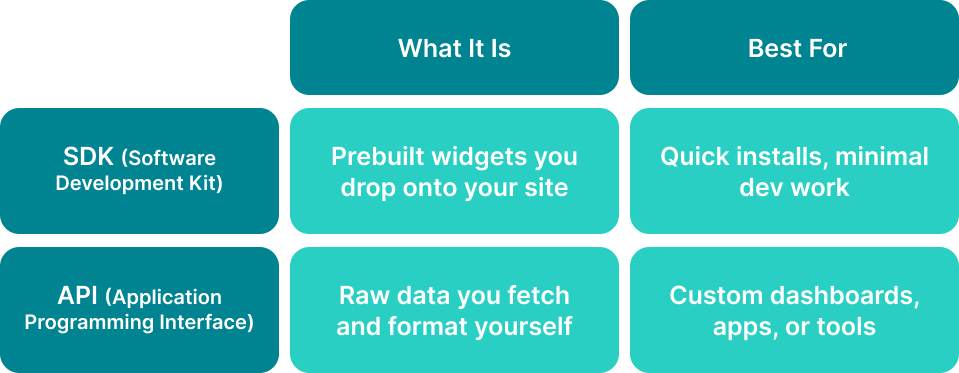
Think of an SDK like a ready-made LEGO set. It’s themed, prepackaged, and ready to use right out of the box.
An API? That’s a big bucket of bricks — perfect if you want to build something from scratch, but you’ll need a blueprint, time, and a builder.
Local Logic supports both integration paths because real estate teams aren’t all starting from the same place. A brokerage that needs to add neighborhood context to listing pages this quarter has different needs than a PropTech team building a custom search experience from scratch.
SDKs handle the first scenario: They’re pre-tested front-end components, built on the same data, optimized for consumer engagement, and ready to deploy without custom development.
APIs handle the second: Direct access to every data layer, structured for teams that want full UX control. Most mature implementations eventually use both.
Local Logic’s SDKs are pre-built widgets you can embed directly into your listing detail pages, community pages, and search interfaces.
They’re hosted by us and integrate natively with most platforms, such as Delta Media Group, Inside Real Estate, Union Street Media, MoxiWorks, and many more. They can be styled to match your branding (colors, fonts, etc.) and require no ongoing maintenance.
SDKs are ideal for teams that want:
Popular SDK use cases:
Our out-of-the-box SDKs include:
SDKs implemented: Local Content, Local Demographics, Local Search, NeighborhoodWrap
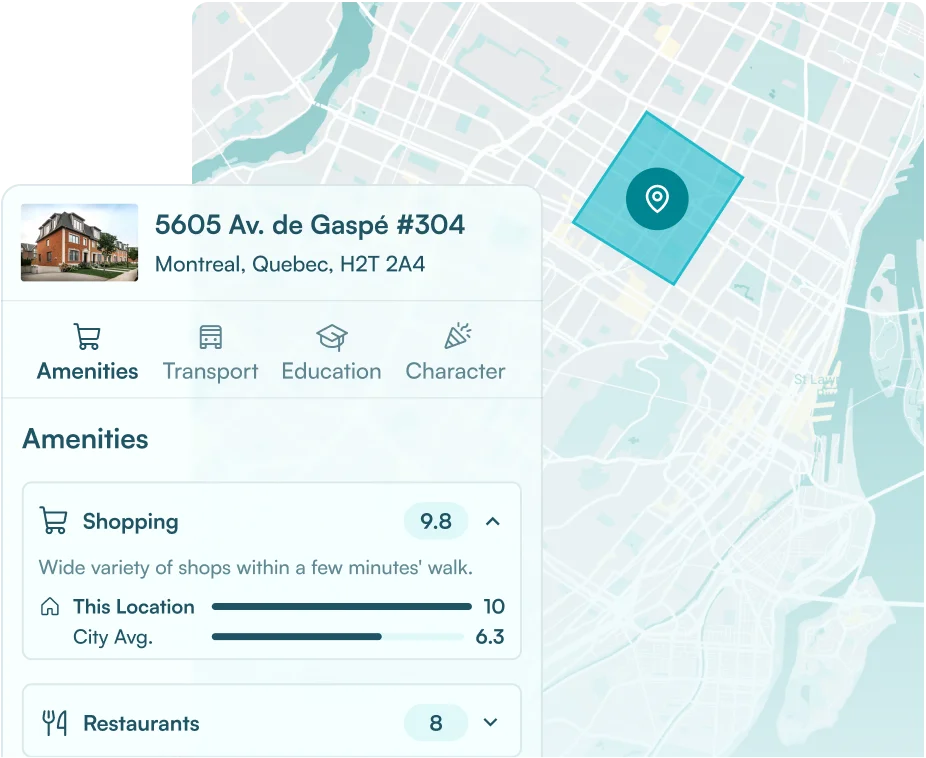
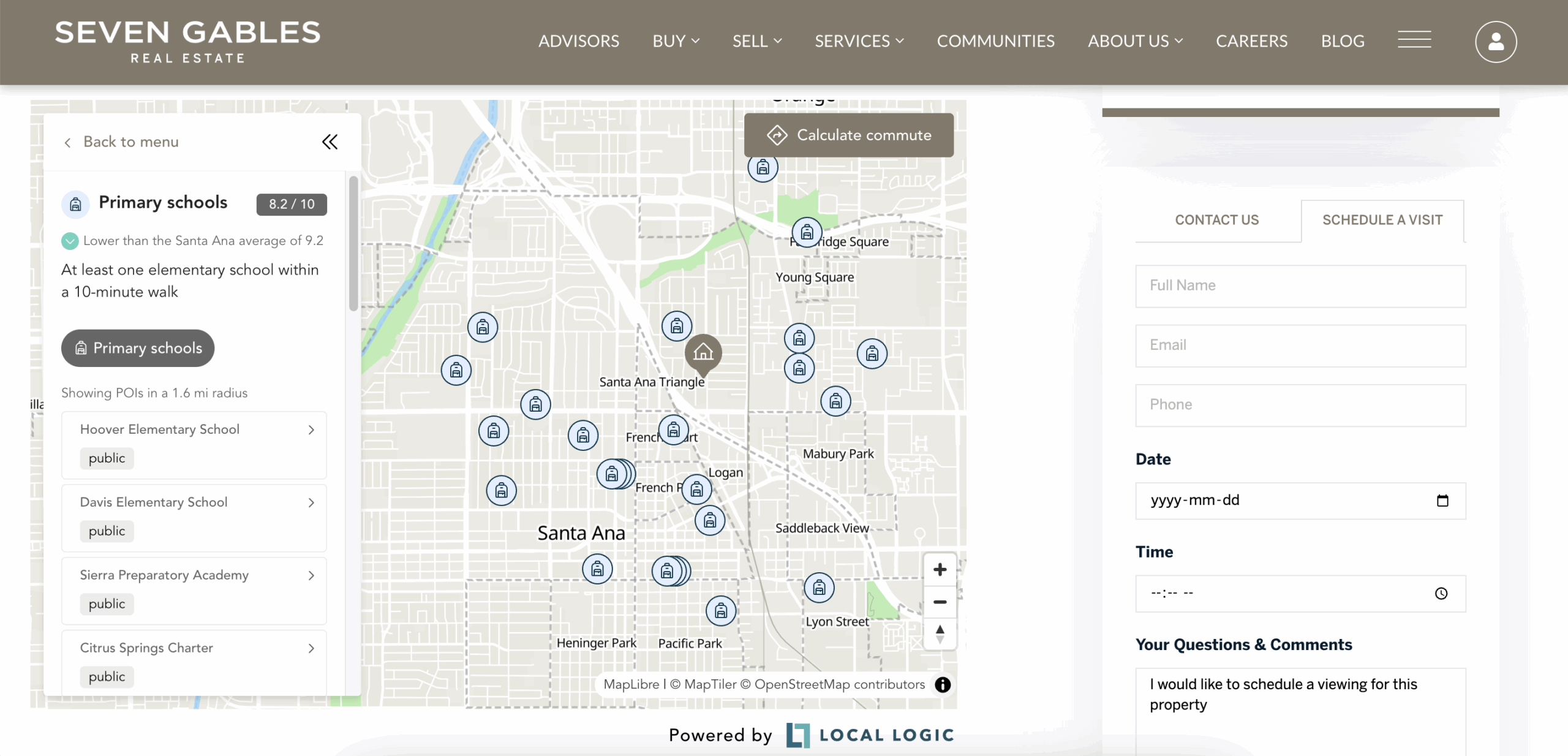 Seven Gables Real Estate’s implementation of Local Logic’s Local Content
By implementing several of Local Logic’s SDKs through Union Street Media, Seven Gables Real Estate enriched its website and property listings with hyperlocal insights that transformed generic pages into context-rich, engaging experiences.
The brokerage saw a 46% average MoM growth in views across products and a 75% average MoM increase in interactive engagement on maps, filters, and demographics. Visitors also spent 74% more time on community pages YoY, driving stronger SEO performance and deeper consumer engagement.
Offering full flexibility, Local Logic’s suite of APIs give you direct access to our datasets and scores so you can build proprietary search experiences.
This is perfect for teams that have developers on hand and want to:
Popular API use cases:
As part of our APIs, we offer:
You can also find more details within our API documentation.
APIs implemented: Demographics, Schools, Points of Interest
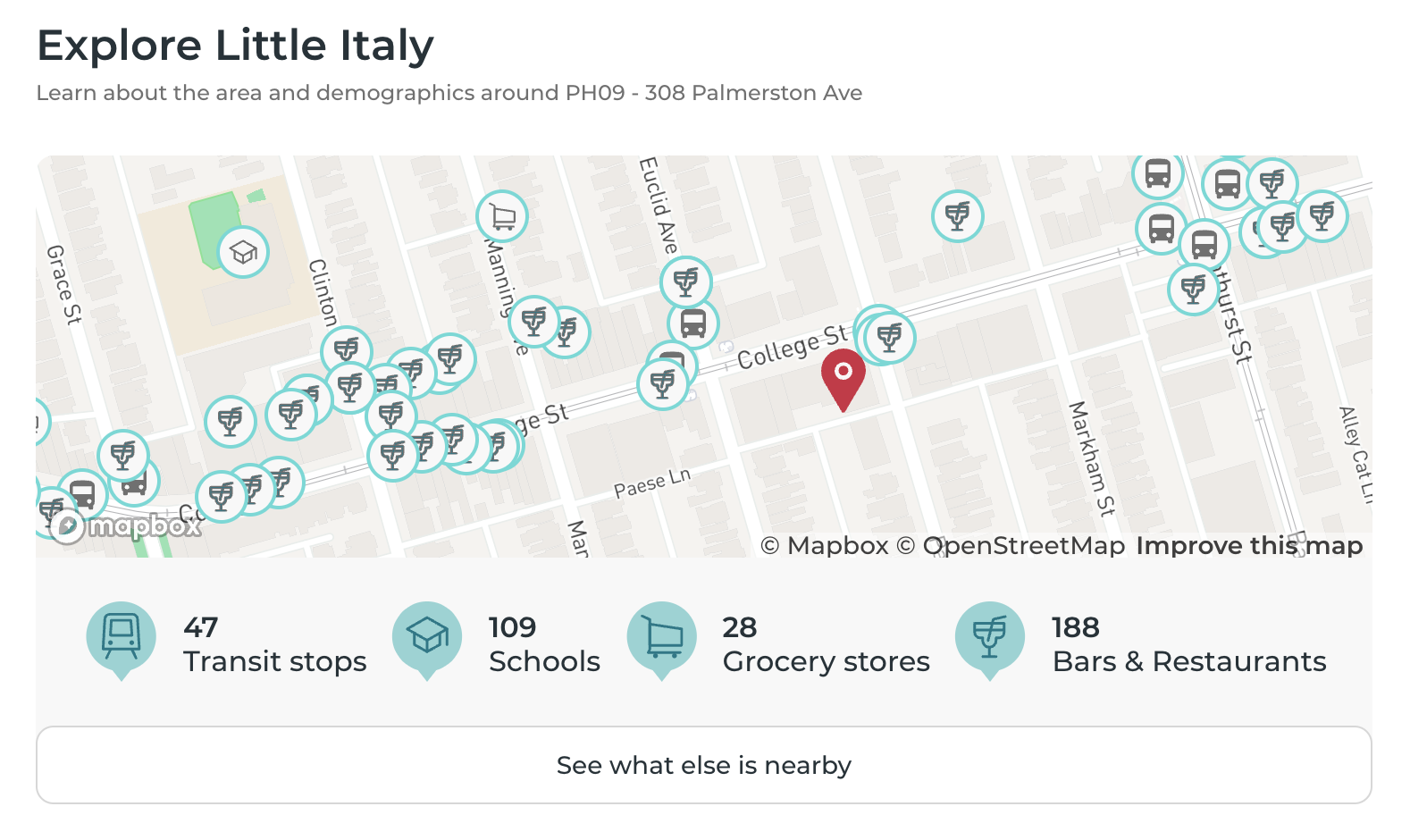 myAbode’s implementation of Local Logic’s Points of Interest (POI) API
myAbode replaced fragmented third-party providers with Local Logic’s APIs, consolidating multiple data feeds into one source of truth. With this all-in-one approach, the platform now handles over 1 million API calls per month seamlessly, ensuring developers and end-users alike get consistent, reliable, and scalable neighborhood insights without vendor sprawl.
Ask yourself:
Choose SDK if you want to:
Choose API if you want to:
Not sure which path fits your stack? Talk to our team, and we’ll scope it out with you in one conversation. → Book a demo
Several of our partners start with SDKs for speed, then layer APIs for custom needs. For example, you might:
With this hybrid approach, you get the best of both worlds: time-to-value now and flexibility when you need it.
Solutions implemented: Schools API, Neighborhood API, Demographics API, Local Content
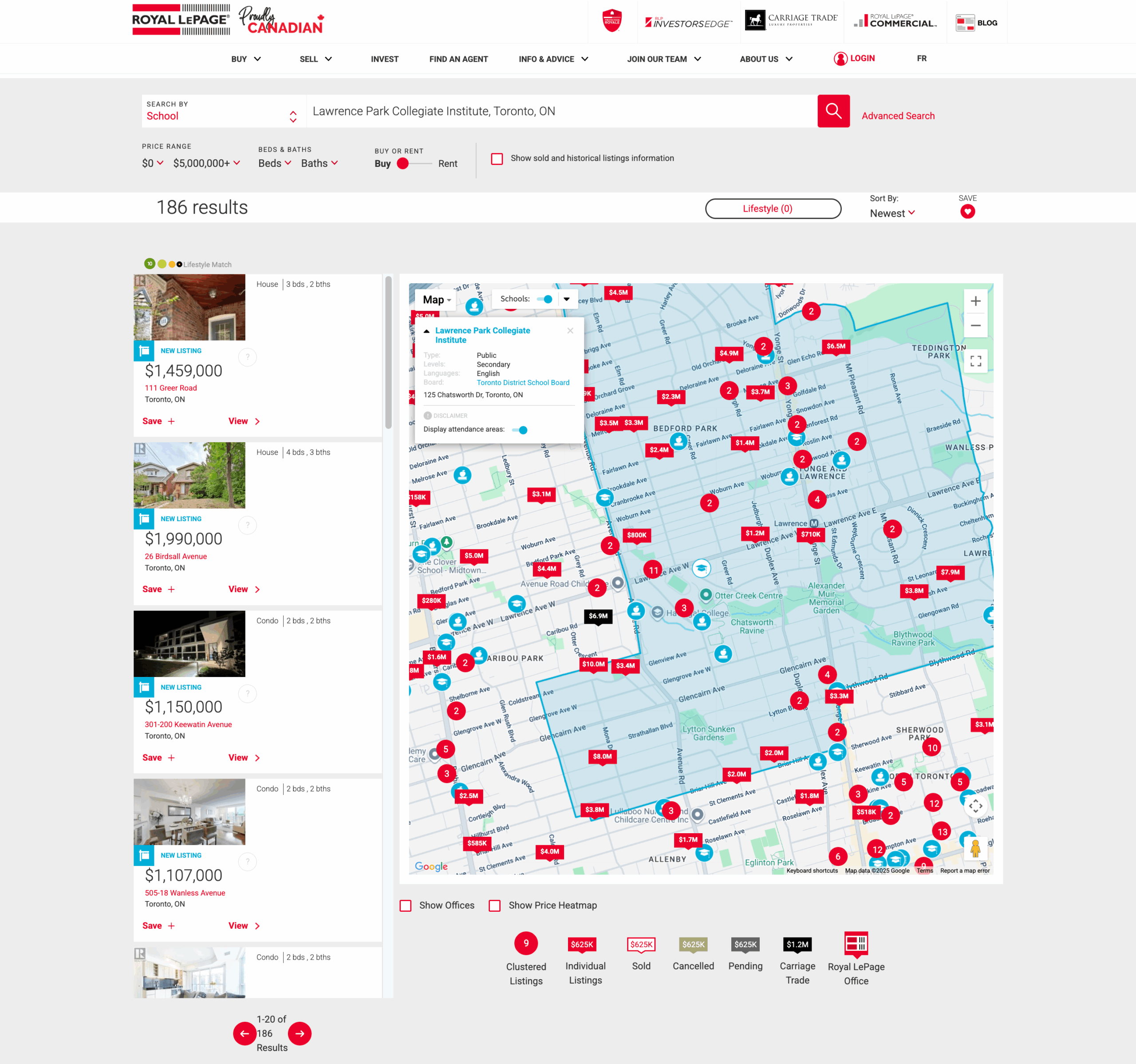 Royal LePage’s implementation of Local Logic’s Schools API for its Schools Search tool
Royal LePage leveraged Local Logic’s SDKs to embed rich neighborhood context into listings while using APIs to power deeper insights across their ecosystem. The result? A 43% increase in leads within two years, proving that combining SDK speed with API flexibility can deliver both immediate engagement and long-term growth.
The right path depends on your goals, your timeline, and what your team can realistically build and maintain. If you’re a business leader trying to figure out which path gets you to ROI fastest, we’ll map it out with you. If you’re a technical evaluator, we’ll walk your dev team through documentation, sample code, and integration patterns. Either way, the conversation is worth having before you start building.
Most SDKs can go live within days, not months. They’re pre-built, hosted by Local Logic, and integrate natively with common platforms like Delta Media Group, Union Street Media, and MAXA Designs.
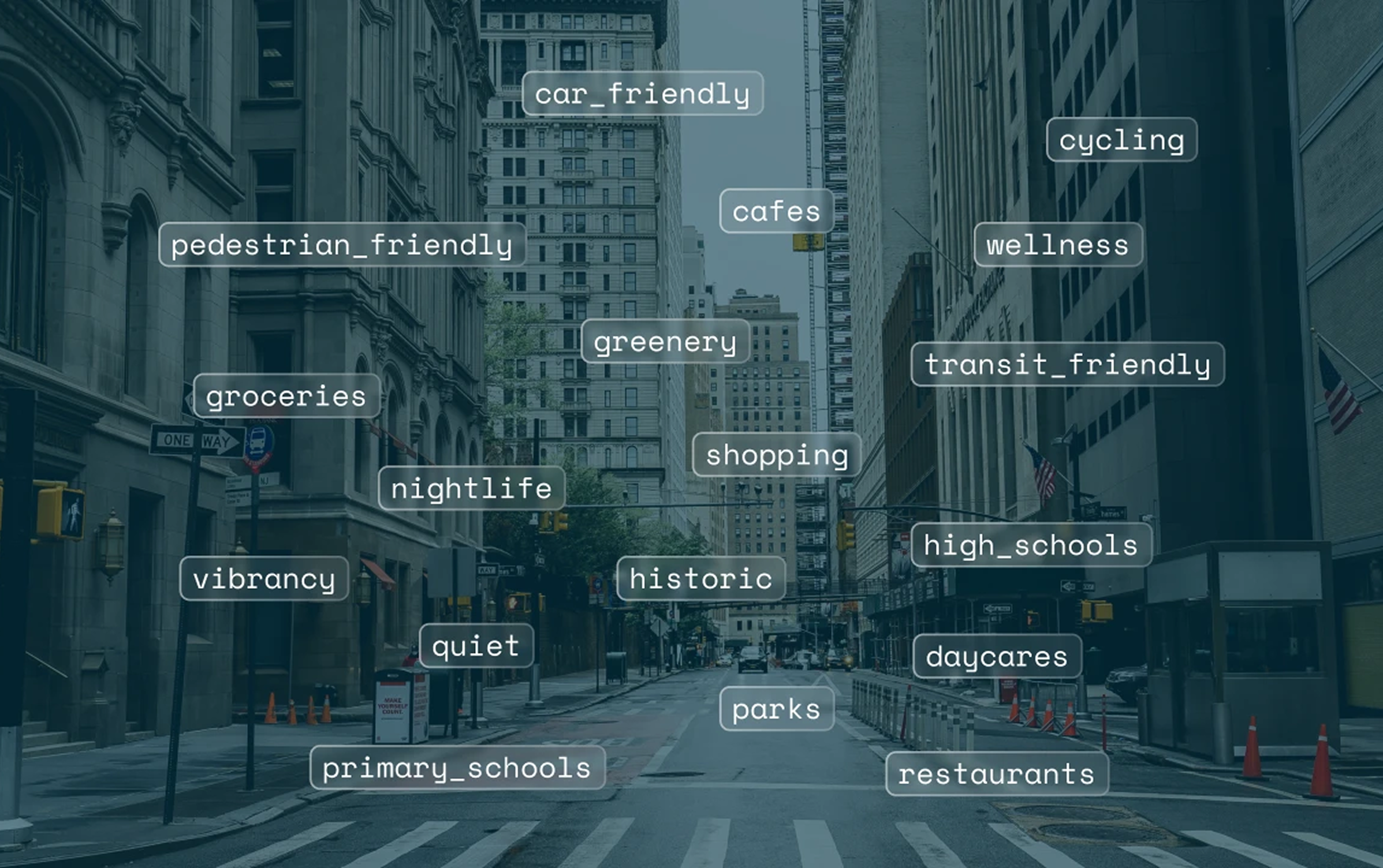
Local Logic’s suite of APIs, all accessible through one platform, includes POI, Location Scores, Demographics, Schools, Market Stats, Climate Risk, and Location Snapshot. Each provides direct data access for teams building custom real estate or mortgage experiences.
Not necessarily. SDKs are designed for teams without dedicated dev resources. They embed directly into your site with minimal technical lift. APIs require developers and are suited to teams building custom workflows or proprietary search tools.
SDKs are pre-built front-end widgets: ready to embed, styled, and hosted by Local Logic. APIs give you raw data access to build fully custom experiences. Both draw from the same underlying location intelligence.
Talk to our team to figure out the right integration path for your brokerage or platform.